
Creating a comfortable and productive home workspace is essential for anyone working remotely or spending significant time on projects at home. The right environment can improve focus, reduce stress, and help maintain a healthy work-life balance. Whether you have a dedicated room or a small corner in your living space, these practical tips will help you set up an effective workspace tailored to your needs.
Choose the Right Location
Selecting the best spot in your home for work is the first step. Ideally, your workspace should be:
– Quiet and away from household distractions.
– Well-lit, preferably with natural light to boost mood and reduce eye strain.
– Spacious enough to accommodate your equipment without feeling cramped.
If space is tight, consider using room dividers or screens to create a sense of separation from living areas.
Invest in Ergonomic Furniture
Comfort plays a crucial role in productivity. Investing in ergonomic furniture can prevent discomfort and long-term health issues.
– Desk: Choose a desk with enough surface area for your computer, notebook, and other essentials.
– Chair: Use an adjustable chair with good lumbar support to maintain proper posture.
– Standing options: Consider a sit-stand desk or a desk converter to vary your position throughout the day.
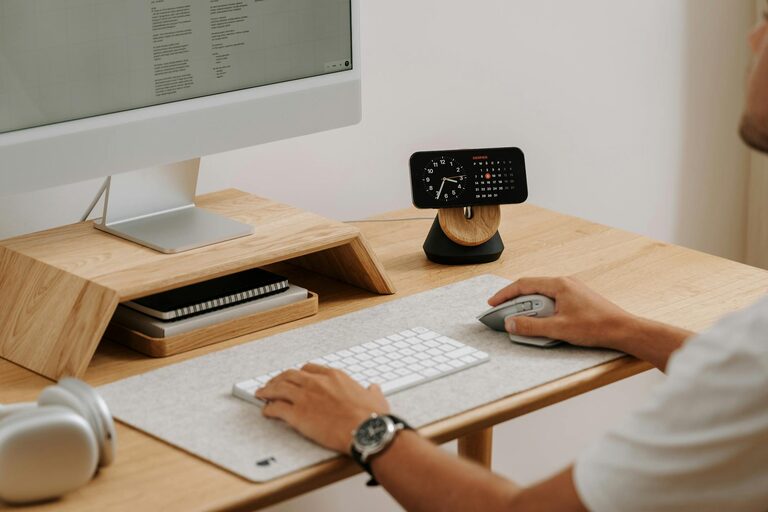
Arranging your monitor at eye level and keeping your keyboard and mouse within easy reach can reduce strain on your neck and wrists.
Organize Efficiently
A cluttered workspace can distract you and slow you down. Organize your area to maximize efficiency.
– Use storage solutions like shelves, drawers, or file organizers to keep supplies tidy.
– Keep only items you need daily within arm’s reach; store extras elsewhere.
– Use cable management tools to reduce tangling and maintain a clean look.
– Consider digital organization tools for notes and documents to reduce paper clutter.
Optimize Lighting
Good lighting reduces eye strain and keeps you alert. Here’s how to optimize it:
– Position your desk near a window for natural light but avoid glare on your screen.
– Use adjustable desk lamps with warm or neutral light tones.
– Add soft ambient lighting to enhance the room’s overall atmosphere during early mornings or evenings.
Minimize Noise and Distractions
Maintaining focus means managing noise and distractions effectively.
– Use noise-canceling headphones or play white noise or ambient music.
– Communicate your work hours to family or housemates to minimize interruptions.
– Turn off non-essential notifications on your devices.
– Keep your workspace free from unrelated items that might distract your attention.
Personalize Your Space
Adding personal touches can make your workspace more inviting and motivating.
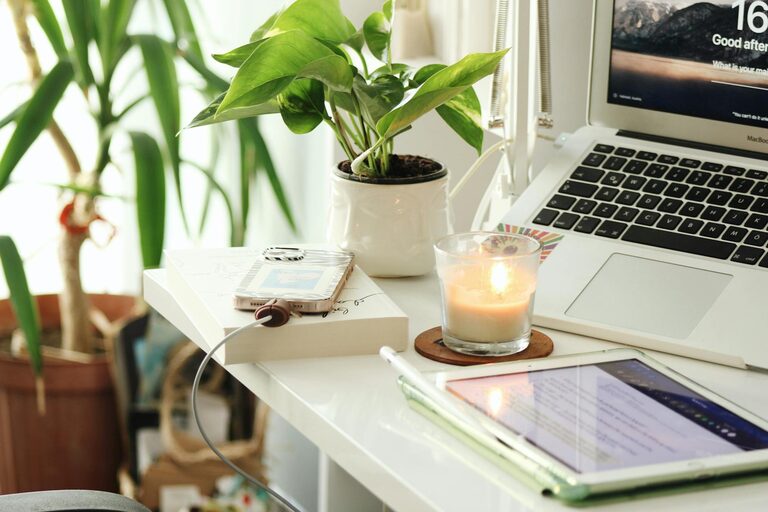
– Decorate with plants, artwork, or meaningful objects that inspire you.
– Choose colors that boost your mood; blues and greens are calming, while yellows can evoke energy.
– Incorporate items that reflect your style while keeping the environment professional.
Establish a Routine
A consistent routine supports productivity and helps separate work time from leisure.
– Start your day at a regular time and include a morning ritual to transition into work mode.
– Take regular breaks — use techniques like the Pomodoro method to structure focused work intervals.
– Set boundaries around your work hours to avoid burnout.
Maintain Good Air Quality and Temperature
A comfortable temperature and fresh air affect concentration and well-being.
– Keep your workspace well-ventilated by opening windows or using an air purifier.
– Adjust heating or cooling to a comfortable level, typically between 68-72°F (20-22°C).
– Use fans or heaters as needed, but ensure they don’t create distracting noise.
Use Technology Wisely
Technology is a fundamental part of a home workspace. Ensure that yours supports efficiency.
– Invest in reliable internet and backup options to avoid interruptions.
– Use ergonomic keyboards and mice to prevent repetitive strain injuries.
– Keep software updated and organized for seamless workflow.
– Use task management or calendar apps to stay organized and on schedule.
Keep Your Workspace Clean
Regular cleaning prevents clutter and promotes a sense of calm.
– Wipe down your desk, keyboard, and mouse routinely.
– Vacuum or sweep the area to reduce dust.
– Organize cables and accessories at least once a week.
—
By paying attention to these elements, you can create a home workspace that helps you stay comfortable, reduce distractions, and increase productivity. Remember that your workspace is an evolving area—adjust it as your needs change to maintain the best possible environment for your work.